

Which intranet is best suited for municipalities? Guide 2026

Monday morning. A manager in home care is missing the latest instruction. An employee in Citizen Service has three versions of the same document sitting in their email inbox. The communications department sends out yet another "important info for everyone" because no one trusts that information is actually being seen in the right place. Meanwhile, IT is pushing to clean up the systems landscape, and legal is asking where employee data actually resides.
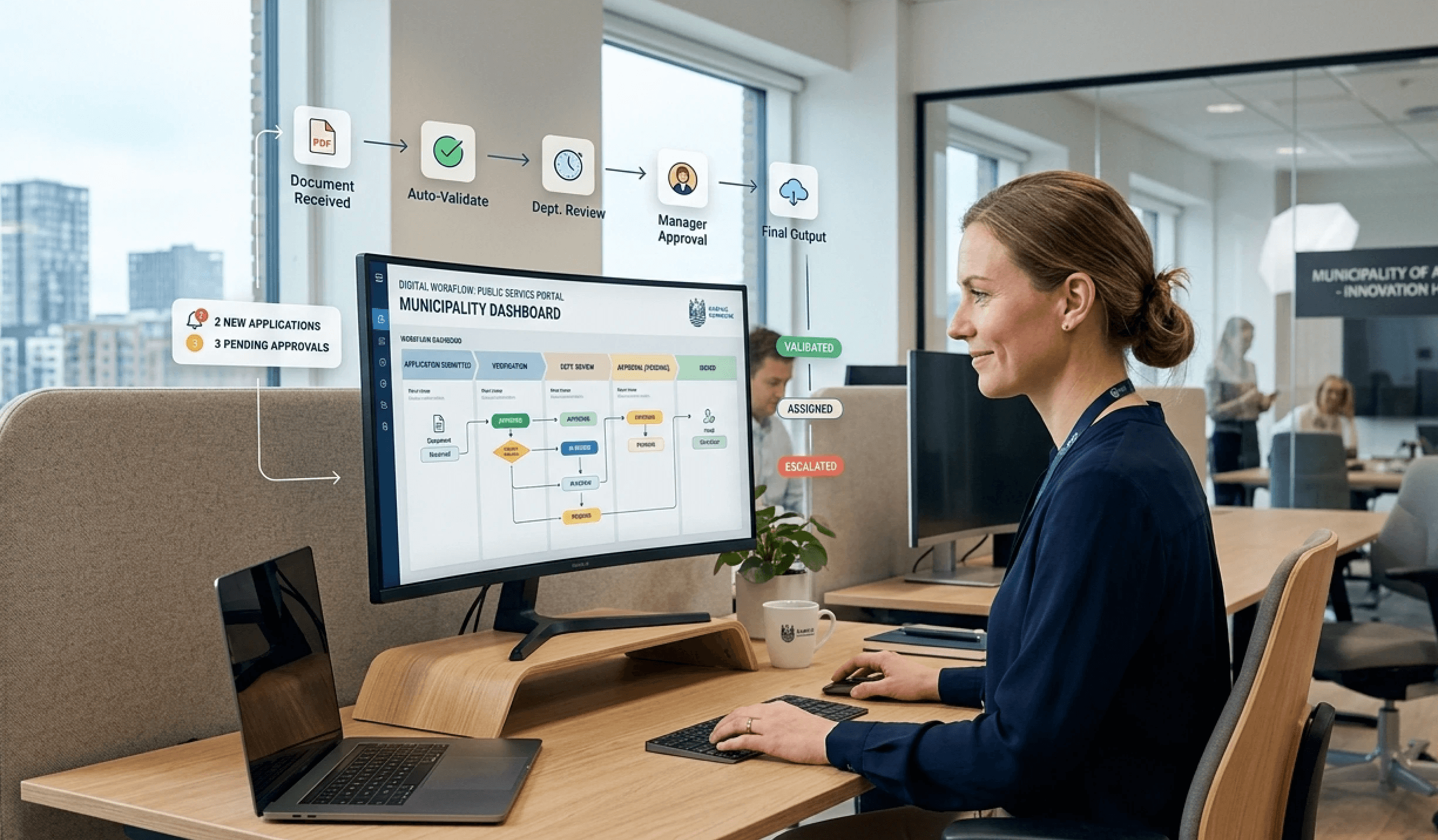
This is the situation many municipalities face when looking for an answer to the question: which intranet is best suited for municipalities? And the answer is rarely what the vendors' standard demos show. For municipalities, it is not first and foremost about attractive news feeds and social features. It is about governance, operations, access, workflows, accessibility and, in particular, data sovereignty.
The short version is simple. Municipalities should choose an intranet built for complex organisations, which can be used by both central and decentralised employees, works on mobile, can integrate with specialist systems, and does not place the municipality in an unnecessary legal grey zone. If the platform depends on US hosting or unclear data flows, it should, as a rule, be filtered out.
From information chaos to a united municipality: Why your intranet is crucial
Municipal information chaos almost always looks the same. Not because employees are working poorly, but because the infrastructure is wrong. Information resides in emails, shared drives, Teams channels, SharePoint sites, PDFs on old portals, and in the heads of key personnel.
At the town hall, an administrative employee can often get through the day with Outlook, a few bookmarks, and help from colleagues. Social and healthcare assistants, educators, and technicians in the field cannot do this. They need quick access, clear prioritisation, and content that works on mobile without detours.
When the intranet fails, it hits operations
A poor intranet is not just a communication problem. It is an operational problem. When employees cannot find the current guidance, local practices emerge. When management cannot target messages, the organisation drowns in noise. When HR policies are scattered, managers and employees spend time asking each other about things that should be self-explanatory.
A municipal intranet must be treated as digital infrastructure. Not as a pretty information site.
This is why many intranet projects fail as early as the requirements phase. The municipality describes a "modern intranet" but in practice buys either a document container or a news wall. Neither of these connects the municipality.
The right intranet unites multiple realities
A municipality is not a single workplace. It consists of many workplaces with different rhythms, professional skills, and security needs. The intranet must be able to unite them without making everything identical. This requires a platform that can handle both central governance and local relevance.
The best solutions address three things simultaneously:
Findability: Employees must quickly find the right information without needing to know the sender in advance.
Relevance: Content must be targeted by role, location, department, or function.
Access: Frontline workers must be able to use the solution just as easily as town hall staff.
If the intranet cannot do this, it simply becomes another system that the municipality must try to force people to use.
Why a standard solution is not enough for a municipality
A generic intranet solution is rarely suitable for municipalities. It may look fine in a demo, but it often collapses when it meets reality. The problem is not a lack of features. The problem is that municipalities have a different set of requirements than private companies.
The municipality has more user groups than most platforms are built for
A standard solution often assumes that employees sit at a desk, work in the same digital environment, and have identical access needs. This is not what a municipality looks like. Here, the same platform must work for schools, elder care, technical and environmental departments, staff, operational personnel, and management.
This means that the user experience must be simple without being simplistic. The menu structure must not only make sense to administration. Content must not only be written for office workers. And access must not depend on everyone having the same workflow or the same technical habits.
The public sector must be able to document more
Accessibility is not just for show. Public-sector digital solutions must be widely and securely usable. If the intranet is heavy, poor on mobile, or difficult to navigate, it is not just annoying. It becomes a real barrier in everyday work.
Furthermore, editorial control is far more important in a municipality than in many private organisations. The municipality needs clear ownership, publishing rules, version control, and the ability to manage who can publish what, where, and to whom.
Practical rule: If the vendor only talks about design, social features, and "engagement", but not about governance, accessibility, and access control, the solution is likely too lightweight for a municipality.
Specialist systems sharpen the requirements
A municipality's system landscape is rarely elegant. It is historically built up, business-critical, and full of dependencies. Therefore, the intranet should not be another isolated destination. It should be a working hub that can direct employees onwards, gather shortcuts, display relevant context, and reduce system switching.
A standard platform often promises integrations, but in practice, this often only covers the major office suites. Municipalities need more than that. They need flexibility to work with their own processes, their own data, and their own priorities.
Area | Standard solutions typically fail here | The municipality needs |
|---|---|---|
User experience | One model for everyone | Role-based and simple access |
Governance | Loose editorial control | Clear ownership and approvals |
Integrations | Focus on office tools | Interaction with a broad system landscape |
Mobility | Secondary feature | Primary access for many employees |
Municipalities must therefore stop asking whether the solution has the right modules. The right question is whether the solution fits the municipal reality.
The 7 key features a municipal intranet must have
Municipalities should evaluate intranet platforms based on features that solve concrete operational problems, not on how slick the homepage looks.
Targeted communication
The municipality must be able to send messages to the correct employees without disrupting everyone else. An operational message for Roads & Parks should not be at the top for childcare or payroll employees.
Targeting by organisation, role, location, or function is therefore a basic requirement. Otherwise, the intranet ends up as a notice board that nobody reads anymore.
Powerful search across systems
Search is the most underestimated feature of an intranet. Employees rarely think in departmental structures. They search for the task, the document, the form, or the name of a colleague.
A good search system must therefore be able to find:
Documents and pages: Policies, guidelines, procedures, or minutes.
People and functions: Who does what within the organisation.
Shortcuts and tools: Access to systems, forms, and workspaces.
If the search only finds titles and not content, it will quickly be ignored.
Mobile access for all employee groups
Many municipal employees do not work at a desk. Therefore, the intranet must work on mobile as a genuine workspace, not just as a stripped-down desktop version. News, documents, notices, contact details, and messages must be easily accessible on the go.
This applies especially to organisations with home care, operations, childcare institutions, and technical units. If the mobile experience is weak, the intranet becomes in practice a head-office-only tool.
Integration with Microsoft 365 or Google Workspace
The municipality rarely needs the intranet to replace everything. It must interact with what is already in use. Integration with Microsoft 365 or Google Workspace is therefore important, but it must happen on the municipality's own terms.
The point here is simple: integration is good; absolute reliance on a single vendor can be risky.
Self-service and forms
The best intranet reduces internal detours. Employees should be able to find and perform simple tasks themselves. This could include access to HR processes, order requests, internal forms, onboarding material, or local workflows.
This improves daily efficiency, as employees do not need to find the right person before they can move forward.
Role-based access and editorial control
Municipalities do not just publish news. They publish instructions, management information, local notices, operational updates, and content with different owners. Therefore, the platform must have robust governance for permissions, editor roles, approvals, and publishing responsibilities.
A solution lacking this control will quickly recreate content chaos, just in a new package.
Operational information and critical alerts
Some messages must not get lost in general news. Operational disruptions, urgent changes, and critical information must be displayed clearly and distributed quickly across channels.
A municipal intranet without a secure framework for critical alerts is only half complete.
A useful evaluation checklist looks like this:
Can content be precisely targeted?
Does search work across different content types?
Is mobile access treated as being as important as desktop?
Can the platform work with existing tools without locking the municipality in?
Does it support self-service and local processes?
Are roles, permissions, and editorial control in place?
Can critical alerts be prioritised and distributed quickly?
When evaluating vendors, these points should carry more weight than cosmetic differences in layout.
Security and data sovereignty: The most important requirement of all
This is the most critical dividing line in the entire decision. A municipality can live with a feature needing adjustments later. It cannot live with a platform choice that creates ongoing uncertainty around data responsibility, transfers, and compliance.
Data sovereignty means in practice that the municipality must have control over where data is processed, who can access it, and which legal jurisdictions affect the solution. This is not a technical detail. It is a management responsibility.
US hosting is a red flag
Many municipalities still choose solutions where data is fully or partially dependent on US infrastructure or US vendors. This can seem convenient because the platform is already familiar. But convenience is no defence if the data flow is unclear or legally vulnerable.
According to the Danish Data Protection Agency's prioritised audit areas, compliance with GDPR and data sovereignty, including the rules for transfers to third countries, is one of the highest priority audit areas for public authorities in 2026. This should end any debate on whether this point can be deprioritised.
What the municipality must demand from the vendor
A vendor should be able to answer the following clearly and in writing:
Where is the data physically hosted? Denmark and the EU are the natural starting points.
Who are the sub-processors? Not just in broad terms, but in practice.
How is support access managed? The municipality must know who can view what.
What documentation is available? Certifications and audit trails must be accessible.
ISO 27001 and ISAE 3000 are not just window dressing in marketing material. They are indicators that the vendor works systematically with security and control. This is not enough on its own, but it is an essential minimum.
For municipalities that want to approach this more concretely, this review of data protection provides a useful picture of the questions a vendor must be able to answer.
If a vendor is vague about hosting, third countries, or support access, the municipality should move on to the next meeting with another vendor.
The right intranet for a municipality is therefore not just user-friendly. It is demonstrably secure and legally compliant.
Platform Choice: Stand-alone vs Built-in to Microsoft 365
The choice of platform typically divides municipalities into two camps. One wants to build the intranet in SharePoint because Microsoft 365 is already there. The other prefers an independent platform that can integrate with Microsoft but is not bound to it. Both approaches can work, but they have very different consequences.
When SharePoint is the obvious choice
If the municipality already works heavily within Microsoft 365, a SharePoint-based intranet can be the quick route. Employees know the login, IT knows the administration environment, and the link to Teams, Outlook, and document management is tight.
This is attractive, especially if the municipality wants a single unified ecosystem with central management. The downside is that the intranet is often shaped by the platform's logic rather than the municipality's actual requirements. This can lead to compromises in user experience, structure, and long-term flexibility.
When stand-alone is the smarter choice
An independent intranet gives the municipality more freedom. The architecture can be built around the municipality's needs, not the other way around. This applies to the user experience, functionality, integration strategy, and the ability to choose the hosting model.
This is also where data sovereignty often becomes easier to handle. A platform-independent solution can be more easily placed in Danish or European operations without the municipality simultaneously laying the entire foundation of the intranet in a global ecosystem it does not control itself.
Choice | Strength | Weakness |
|---|---|---|
SharePoint in Microsoft 365 | Tight integration with existing Microsoft tools | Greater dependence on Microsoft's frameworks and roadmap |
Stand-alone intranet | More freedom in architecture, operation, and customisation | Requires sharper requirements specifications and governance |
A solution like Colibo is an example of the latter model. The platform can run as an independent intranet with Danish or EU hosting while integrating with Microsoft 365 or Google Workspace. This is relevant for municipalities that want integration without making the intranet fully dependent on a single platform.
Municipalities facing this choice should read this comparison of SharePoint and modern intranet solutions, as it describes the strategic difference quite precisely.
The right decision is rarely the easiest
The easiest decision is often to build on top of what the municipality already has. The best decision is the one that still makes sense several years from now. If the intranet is to be a long-term core platform, the municipality should weigh control, flexibility, and compliance higher than short-term convenience.
From implementation to successful adoption in the organisation
Even the right platform choice will fail if the municipality treats the project as a purely technical implementation. Intranet projects only succeed when the organisation changes its habits.
Start with the right people
The municipality should appoint local ambassadors early on. Not just managers and communications staff, but also employees from operations, childcare institutions, care, and administration. They will quickly see where the solution provides value and where it clashes with reality.
This achieves two things. First, it sharpens the requirements. Second, it builds ownership outside of the core project group.
Launch with concrete benefits, not slogans
Many launches fail because the municipality communicates in abstract terms. Employees do not respond to claims that the platform is "new and modern". They respond to the fact that they can now find shift guidelines, contact details, forms, and local notices in one place.
A good launch therefore focuses on tasks:
Find the most important things quickly: Showcase search, shortcuts, and local news.
Make daily life easier: Highlight forms, HR access, and mobile usage.
Create local examples: Let departments show how they use the solution in practice.
The first week after launch often determines whether the intranet becomes a daily work tool or a page that people forget.
Measure what matters
Naturally, the municipality should monitor platform usage. But logins alone tell very little. The real test is whether the intranet changes behaviour: whether employees find information faster, whether internal communication shifts away from broad email threads, whether local procedures become more accessible, and whether managers and editors actually take ownership.
A simple governance model might look like this:
Define ownership: Who owns the platform, the content, and local areas.
Train editors and power users: Keep it short, practical, and role-based.
Collect feedback continuously: Small improvements beat massive re-launches.
Adjust governance: Remove dead content and clarify responsibilities quickly.
Municipalities wishing to work more systematically with embedding the changes can find inspiration in this review of change management models.
Adoption does not happen on its own. It happens when the platform makes work easier from day one.
Checklist: How to choose the right intranet for your municipality
The best choice is rarely the solution with the most modules. It is the solution the municipality can run securely, use widely, and develop without losing control.
Therefore, vendor dialogue should be tough and detailed. As a minimum, the municipality should ask these questions:
Where is the solution actually hosted? Ask for a clear answer regarding data location, sub-processors, and any third-country transfers.
What security documentation can be presented? Ask specifically for ISO 27001, ISAE 3000, and access control practices.
How are municipal employee groups supported? The solution must work for town hall staff, operations, institutions, and mobile employees alike.
How does mobile access work in practice? Ask to see core tasks performed on mobile, not just a view of the news.
Can the platform be integrated without locking the municipality in? Integration is key, but the municipality must retain its strategic freedom of action.
How are editorial control and local ownership managed? It must be clear who can publish, approve, and maintain content.
What is the overall operating model? The municipality must understand implementation, maintenance, support, and long-term costs.
Does the vendor understand the public sector? Not just as a sales pitch, but reflected in their product, process, and documentation.
The municipality that wants to make the right choice must prioritse in this order: compliance first, operational security second, user experience third, with cosmetic design far down the list.
An intranet for a municipality must be secure enough for the public authority role and simple enough for everyday use. If a vendor cannot deliver both, the solution is not the right fit.
A municipality that wants to gather internal communication, knowledge sharing, and daily work tools into a single solution can start a dialogue with Colibo. The platform can be run as an independent intranet with Danish or EU hosting or integrated with existing environments like Microsoft 365 and Google Workspace.