

Your guide to process automation: effective workflows
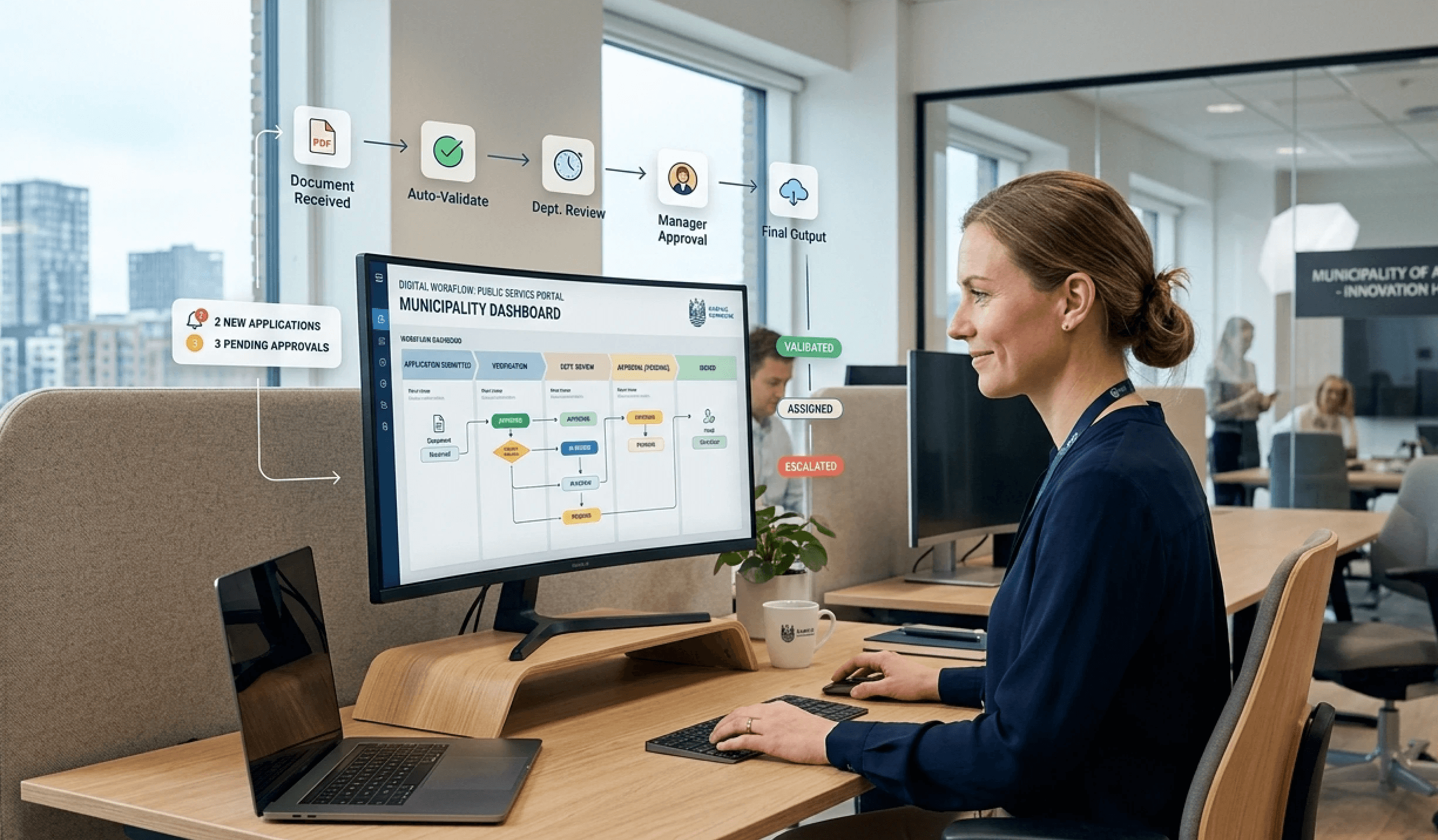
Monday morning. An employee in a municipality opens their inbox and sees the usual pattern. A citizen has sent a request, data has to be typed into one system, verified in another, forwarded to a colleague in a third solution, and afterwards someone has to remember to file everything correctly. None of the tasks are difficult. There are just many of them, repetitive and vulnerable to small errors.
This is often where the interest in process automation begins. Not with a grand digital vision, but with an ordinary working day where too much time is spent on clicking, copying, checking and following up. Particularly in the public sector, the issue is rarely just tempo. It is also about security, documentation, compliance and about creating a workday where employees do not grow tired of working across five systems to solve a single task.
When process automation works, the work does not feel more mechanical. On the contrary. The right solution removes noise, reduces errors and makes it easier to do the right thing the first time.
What is process automation and why is it crucial now

Process automation is the practical discipline where an organisation makes repetitive workflows run more consistently, more securely and with less manual work. It can be anything from moving data between systems to automatically forwarding tasks to the right person, creating documents or ensuring that nobody skips an approval step.
When work becomes repetition
In a public organisation, the need often arises in processes that no one notices until they go wrong. A submission lands in a shared inbox. An employee reads it, copies information into a professional system, sends an email to a colleague, saves an attachment in a document archive and then updates a spreadsheet to track the status. Each individual action seems small. Combined, it becomes a process with many handovers.
It is precisely this type of sequence that process automation is suited for. Not because humans should be removed, but because humans should not spend their time acting as links between systems.
Practical rule of thumb: If a task follows almost the same pattern every time, it is often a good candidate for process automation.
Confusion often arises here. Many believe that automation is only about factories and robot arms. But in office and welfare work, it is far more often about digital flows. Who receives what. When is data validated. Where should documentation be stored. Who is notified if something is missing.
Why timing is important now
The timing is not accidental. 50% of Danish companies with 10 or more employees used at least one form of artificial intelligence in 2023, pointing to the fact that automation is no longer a niche project but a broad operational and management discipline, as described in this review of AI and RPA.
For a municipality, a hospital or a utility company, this means something special. Here, the question is rarely just whether something can be automated. The question is whether it can be done in a way that also strengthens data security, the working environment and citizen- or patient-oriented quality.
That is why the topic is so current now. Not because the technology is new, but because the demands for cohesion, documentation and employee experience have become sharper.
The technologies behind intelligent automation
Many use a single word for everything and call it automation. In practice, the field consists of several technologies that solve different problems. It helps to think of them as different roles in the same workday.
Four building blocks that often get mixed up
RPA functions like a digital employee doing what a human would otherwise do on screen. It clicks, copies, pastes and retrieves data in systems that do not necessarily talk well together. If an employee forwards information from an email to a journal system every morning, that is classic RPA territory.
Workflow engines are the conductor of the process. They decide which task should happen when, and who should be involved. They are particularly useful when a case has to go through several steps with rules, approvals and documentation.
APIs are the handshake of systems. When two solutions can exchange data directly, it is often a more reliable method than letting a robot click around in the user interface. APIs are not always visible to the end user, but they are often crucial for stable operations.
AI is the self-learning assistant in the broad sense. It is used when the process does not always look exactly the same. This can be sorting text, helping search for knowledge or supporting the understanding of variations in content. For some organisations, it is also relevant to use an AI chatbot for internal knowledge search when employees need quick answers in daily operations.
When employees say a system is "cumbersome", it is often not about a single function. It is because several technologies are not playing together properly.
A useful analogy can actually be found outside of IT. In buildings, heating, sensors and user needs work best when they are connected. Therefore, a specialist's advice on smart thermostats can be a fine parallel. The point is the same. Automation only provides value when control, data and user-friendliness come together in a unified solution.
Comparison of automation technologies
Technology | Primary function | Best for... | Analogy |
|---|---|---|---|
RPA | Mimic human clicks and keystrokes | Repetitive tasks in older or closed systems | A digital colleague |
Workflow engine | Manage sequence and responsibility in a process | Approvals, case handovers and rules | A traffic warden |
API | Exchange data directly between systems | Stable integration between platforms | A handshake between systems |
AI | Handle variation, search and simple assessments | Text, categorisation and decision support | An assistant with context |
When the combination makes sense
It is rarely enough to choose a single tool. For example, a municipality might use a form to receive an inquiry, a workflow engine to route the case to the correct unit, API integration to update a professional system and AI to help the employee find relevant procedures.
The crucial question is not "which technology is smartest?". It is "which mix causes the least friction in the specific process?". When that question guides the choice, process automation becomes more down-to-earth and less mysterious.
Concrete examples from the public and healthcare sectors
There are plenty of abstract descriptions of automation. They rarely help a department head sitting with piles of reports, patient records or freedom of information requests. Therefore, it makes more sense to look at workflows that employees actually encounter.
Example from a municipality
Take a classic administrative process like handling invoices or registering standardised information. When an employee has to open a document, read fixed fields, enter data into a system and then check everything manually, both delays and small errors occur.
Here, process automation is particularly relevant because the task is high-frequency and rule-based. Process automation via RPA and AI can reduce errors in this type of task by up to 90%, and a study from DIKU shows that automation in Danish municipalities can save 200+ hours per year per employee. This combination makes a noticeable difference in everyday life, especially when employees otherwise use large parts of the day on control work rather than case processing.
The effect is not only internal. When entry, validation and routing happen more consistently, the citizen gets a faster response and the organisation gets better documentation. It is easy to overlook, but documentation is precisely one of the biggest gains of process automation in the public sector.
Example from the healthcare sector
In the healthcare sector, it is rarely enough for something to go fast. It must also be correct, traceability must be in order, and the employee must not be forced to make extra clicks in an already pressured shift.
A concrete area is patient onboarding and handling standardised data flows between systems. When personal data, referral data or internal records are manually moved from one system to another, the risk of typing errors grows. This risk becomes even more serious when the information later forms the basis for planning, triage or documentation.
Here it makes sense to gather process support and information in one place. For organisations in this field, a solution targeted at health and care can be relevant if the goal is to connect workflows, internal information and daily tools without the employee having to search in multiple places.
Good automation in healthcare does not just save time. It removes unnecessary interruptions in an environment where concentration is already a scarce resource.
This is also why success should not be measured on efficiency alone. In a hospital or a care organisation, the value can just as much lie in fewer interruptions, more consistent registration and fewer insecure handovers between roles.
How to implement process automation step by step
Many organisations go wrong because they try to automate everything at once. This creates long projects, uncertain priorities and too much technology too early. A better approach is to work in phases and start where the irritation and the benefits are clearest.
Phases 1 and 2 from irritation to design
The first phase is about finding the right process. Not the largest one. The right one. Often it is a workflow with many repetitions, clear rules and clear frustrations. If employees repeatedly complain about double data entry, waiting times or unclear handovers, it is a strong signal.
Next, the process must be mapped out. Not as an academic exercise, but as a practical map of who does what and where the case changes hands. An expert study shows that 85% of Danish companies in logistics and transport use swimlane diagrams to define responsibilities, and that process mining combined with AI can identify 60% more inefficiencies in processes. This makes these tools relevant because they help the organisation detect bottlenecks before building a solution on top of a bad flow.
A simple start can look like this:
Find the irritation first: Select a process that employees already experience as heavy.
Map the actual steps: Use swimlane diagrams to show roles, systems and handovers.
Separate exceptions from the main path: Many processes seem complex because special cases take up too much space in the design.
Work practice: If the process cannot be explained clearly on one page, it is often not ready for automation yet.
Phases 3 and 4 from roll-out to improvement
Once the design is in place, the part that many mistakenly believe is the whole project begins. Implementation is important, but it only works if testing and ownership are in place.
In the testing phase, the organisation must not only ask if the solution works technically. It must also ask whether the employee understands the flow, if errors are handled clearly, and if anyone knows what should happen when a step fails. This is especially important in environments with shifts, temporary staff or multiple locations.
After going live, the actual improvement work begins. Here it makes sense to follow a few clear indicators:
Data quality: Is information coming in more consistently than before?
Stable operation: Does the process fall back to manual workarounds, or does it hold up?
User friction: Do employees still have to navigate too many systems to finish the case?
Good process automation is rarely finished with the first version. It gets better as the organisation learns which steps create peace of mind and which ones still cause friction.
Security and governance in an automated world
The most underestimated question in automation is not technology. It is responsibility. Who owns the process when it no longer runs manually? Who detects errors? Who decides when something can be changed? Without clear answers, even a useful solution ends up as a risk.
Where does the responsibility lie
In public and regulated organisations, an automated process must have the same clear ownership as any other business-critical workflow. There should be a business owner who understands the purpose, a technical lead who can maintain the solution, and a governance model that manages changes.
The problem often arises when automation grows informally. One department builds small flows. Another does something similar in a different tool. Shortly after, the organisation is left with a collection of solutions that no one has a full overview of. This is where shadow IT begins to look like efficiency, even though in practice it creates vulnerability.
For organisations with strict operational and documentation requirements, it is worth gathering security requirements, hosting conditions and compliance information in one place, for example via a page on security & compliance, so decision-makers can evaluate the solution on more than just functionality.
Compliance is part of the design
Compliance should not be layered on top afterwards. It must be built in from the start. This applies particularly to questions such as data sovereignty, logging, access control and documentation of changes.
In practice, this often means asking some very down-to-earth questions:
Where is the data stored: Is hosting and data location compatible with the organisation's requirements?
Who has access: Are permissions managed according to role and need?
How are changes tracked: Can the organisation document who changed what and when?
It is also relevant to look at the operational and audit basis. In Danish organisations with high compliance standards, certifications like ISO 27001 and assurance reports like ISAE 3000 play a practical role because they make it easier to evaluate security work systematically.
Governance is not bureaucracy. It is the mechanics that make automation reliable when everyday life gets busy.
From scattered automation to a unified user experience
Many organisations discover a paradox. They have automated several steps, but employees still experience work as cumbersome. Why? Because the automation is scattered. One flow starts in a form. The next step is in email. A third requires logging into a separate tool. Thus, the process might be technically faster, but the user experience still feels heavy.
When the employee feels the complexity
The overlooked problem in process automation is how to automate between systems without shifting new complexity onto the end user. As described in this review of process automation between systems, success is not just about more workflows, but about fewer friction points for the employee. In this kind of environment, a central intranet with process support can be more valuable than yet another specialised tool.
This makes particular sense in municipalities, hospitals and utilities. Here, the employee's task is rarely to understand system architecture. The employee needs to be able to perform the work correctly and quickly, even on a busy day.
A typical example is an internal request. The user just wants to order equipment, report an incident or find the correct procedure. If the solution requires them to translate their needs into system choices, the friction is already too high.
A unified layer on top of complex systems
A more usable approach is to place a unified layer on top of the underlying systems. Here, the employee encounters a simple portal with forms, guides, news, search and process support gathered in one place. The technical complexity still exists in the background, but it is hidden from the user.
This is where a platform like Colibo can fit in as one option among several. The platform gathers internal communication, knowledge sharing and process support in one environment and can be integrated with existing setups like Microsoft 365 and Google Workspace. For complex organisations, this type of unified workspace can reduce jumping between tools and make automation more applicable in practice.
The point is not to build yet another digital layer for the sake of the layer. The point is to make the automated organisation more understandable for the people who need to use it every day.
Measure your success and plan the next steps
Many measure automation on a single question. How many hours were saved? It is a useful question, but it is rarely enough. Especially in Danish organisations with complex workflows, it is often more interesting to ask whether the manual burden actually decreased without complexity rising somewhere else.
Measure more than time
The most important FAQ in Denmark is precisely not "what is process automation?", but "how does the organisation measure that automation actually reduces manual burden without increasing complexity for employees?", as described in this article on automation and work pressure.
Therefore, it makes sense to follow indicators like these:
Less digital stress: Do employees have to go to fewer places to solve the same task?
Better data quality: Are there fewer errors, omissions and manual corrections?
Greater operational confidence: Do employees easily know what the next step in the process is?
The first step is smaller than most people think
An organisation does not need to start with a grand transformation plan. A far better place to begin is with the process that frustrates the most people in their daily work. The first win often lies in something simple. A form that routes a case correctly. An approval that no longer needs to be chased in email. A registration that only has to be done once.
When process automation succeeds, work life does not become colder. It becomes clearer, more secure and less interrupted.
For organisations that want to gather workflows, internal knowledge and daily tools in one digital framework, Colibo can be a relevant place to start investigating. The platform is developed for complex organisations and can be used as a shared layer between employees, information and processes.