

Employee portal: what it is and how to choose the right one

It often starts in the same place. The organisation already has Microsoft 365, perhaps also SharePoint, Teams, and a range of internal news streams, but employees still call in, write in chat, or search through old emails to find the same answer again and again. Then the real choice arises, not whether there should be yet another tool, but whether there should be one consolidated point of entry that actually gathers information, self-service, and operations, or simply mirrors the fragmentation you are already living with.
In a Danish context, that choice is more serious than many procurement cases make it out to be. There is a long tradition of standardised personal, labour market, and organisational data, and modern HR and personnel solutions are built on top of that heritage. This means that, in practice, organisations expect an employee portal that can carry high data quality, traceability, and administrative processes, not just a pretty homepage.
Many organisations are already paying for a portal they do not use
The most common mistake is believing that the problem is a lack of software. It is not. The problem is that information is scattered across emails, folders, Teams channels, intranet pages, and local guidelines, so employees end up searching instead of acting.
When the licence exists, but access is missing
Many organisations already have part of the infrastructure in place. Even so, everyday answers are perceived as hard to find, especially when field workers, shift staff, or administrative teams do not sit at the same screen all day. This is where an employee portal must be evaluated as a workspace, not as a publishing channel.
Statistics Denmark shows how large the organisational reality is that portals must be able to support, with 3,085,275 employees in Denmark in April 2026. At the same time, detailed employee data from e-Income (e-Indkomst) has been registered since 2008, underlining that Danish organisations operate in an environment with continuously updated personnel data and high demands for up-to-date information. A portal that cannot keep up with that pace quickly becomes another gateway to the same mess, just with a new design. Statistics Denmark's overview of employees
Practical rule of thumb: If employees still ask their colleagues first and the portal second, then the portal has not become their primary workplace.
It is not more pages that are missing
Aarhus University shows very clearly that employee portals often live side-by-side with channel guidance on when email, the intranet, or social channels should be used. This points to a well-known problem where the portal exists but does not consolidate the workflow. Odense Municipality points in the same direction, where the portal is linked to digitisation and better task solving, not just information. Aarhus University's employee portal
This is precisely why procuring a portal should not be measured by the number of tabs or modules in a demo. What matters is whether the employee gets one place to start, and whether that solution can support communication, knowledge, and self-service without doubling the existing clutter.
What an employee portal actually is
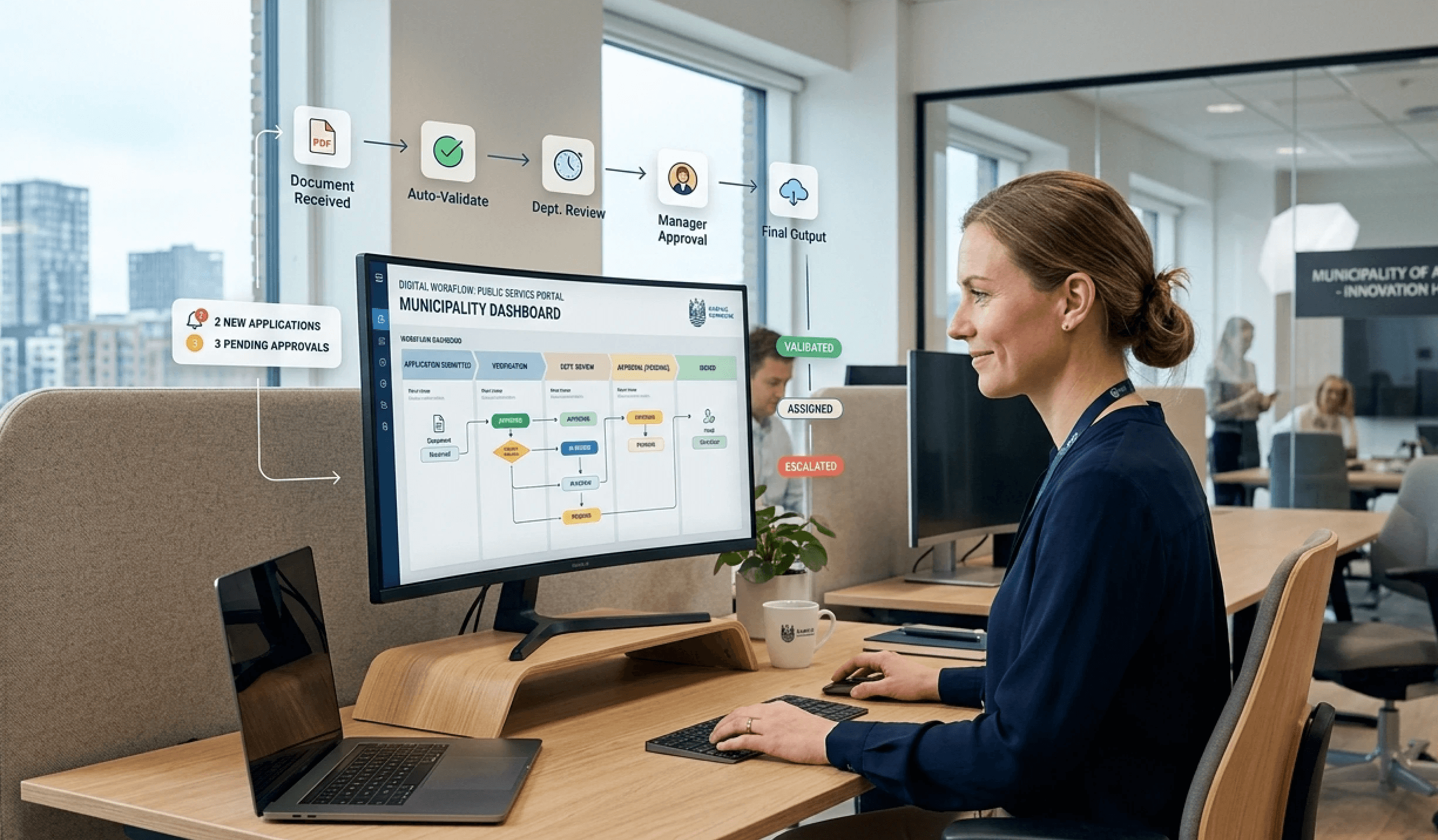
An employee portal is the digital entrance where employees find internal information, perform key tasks, and access the services they need in their everyday work. It is not the same as a classic intranet, a file share, or the digital workplace as a whole. It sits in the middle and binds things together.
From information page to workspace
A classic intranet was often built like a noticeboard. News was posted, policies were published, and otherwise employees were expected to find their own way around. A file share is even narrower because, in practice, it only handles documents. A digital workplace is the entire ecosystem of tools, everything from email and chat to case management and professional apps.
The portal is the lobby. The workplace is the house. That difference sounds simple, but it drives all decisions regarding integration, design, and governance.
A modern portal is dialogue-based, personalised, and mobile-friendly. It does not just display content, it helps the employee move forward. This can be through targeted news, cross-system searching, shortcuts to tasks, or a feedback channel where questions do not disappear into email threads.
There is also an important organisational difference. A good portal is not evaluated on whether it is "pretty", but on whether it reduces friction. If the employee can find guidelines, contact details, shift messages, and self-service tasks without switching between five systems, then the portal is working as it should.
This is also where many misjudgements occur. You buy an intranet and expect a workplace. Or you buy a working platform and think that a homepage is enough. Both easily end up as noise if there is no clear answer to who the portal is for and what tasks it actually needs to solve.
Key features that separate a good portal from a dusty one
A good portal is not a feature-catalogue exercise. It must solve the same few problems repeatedly, quickly, and without forcing the user to run in circles. In Danish municipalities, regions, and utility companies, five things in particular stand out.
What needs to work every day
Firstly, news and operational messages must be segmentable. A social and healthcare worker, a manager, and a technician do not have the same content needs. If everyone gets the same, people are simply flooded with irrelevance.
Secondly, there must be a structured knowledge base with search capabilities that can find documents, people, and procedures. Search must not become an empty "we have a search function" claim. It must be fast enough that the user genuinely chooses it over asking a colleague.
Thirdly, the portal must support self-service. This is where HR, IT, and absence-heavy processes typically save the most time, because employees can move forward on their own without opening a case every time.
Fourthly, mobile must be a first-class channel, not a compromise. Colibo's feature overview shows precisely how portal features are often gathered around communication, collaboration, and daily workflows, and this is the right direction for organisations with many mobile users.
The portal must be usable in practice by the employee standing in a car, in a corridor, or out at an operational site. If not, mobility is only cosmetic.
What is often underestimated
AI assistance is relevant, but only if it works on the organisation's own data. Otherwise, it simply becomes another generic chatbot. The feedback function is also often underestimated, even though it is crucial for enabling employees to report errors, suggest improvements, or ask questions directly within the workflow.
A portal that is only strong on communication but weak on tasks becomes an announcement system. A portal that is only strong on tasks but weak on navigation becomes a system people avoid. The right solution balances both.
Danish requirements for mobility, search, and accessibility
Danish organisations cannot settle for a portal that looks nice in a demo. It must function in operation, on weak connections, on mobile devices, and for employees who do not sit at a desk all day. This is where the concrete requirements reveal whether the solution holds up to reality.
What public specifications point to
The Danish Parliament's (Folketinget) specification requirements for intranets demand that the solution can be accessed externally from mobile workplaces with down to 2 Mbit via VPN, and that the content, as a minimum, can be accessed from smartphones and tablets via a 3G connection. This is a clear signal that the portal must be lightweight, responsive, and able to handle poor connections, not just an office environment with a stable network. This is also why a dedicated mobile solution like Colibo's mobile app must be evaluated as part of the overall portal experience if employees actually work out of the office. The Danish Parliament's specification requirements for intranets
At the same time, the same specification requires that search is split into global search/advanced search and people search, that user and permission management is supported via AD, and that the solution can expose events such as creation, updates, publishing, and deletion. This points directly to an event-driven and auditable portal, not a static information page.
KL's (Local Government Denmark) reference architecture for the user portal initiative requires compliance with WCAG 2.0 AA as well as relevant standards for data, data exchange, and security. This is not window dressing. Accessibility and interoperability are the foundation for the portal working across systems and user groups. KL's reference architecture for the user portal initiative
Metadata is not administration, it is governance
The Central Denmark Region's (Region Midtjylland) ICT specifications require that file and folder structures follow bips A104 Document Management, and that documents are assigned fixed metadata fields. Aarhus University's ICT specifications work with the same type of structural requirements, defining among other things the geodetic coordinate system and IFC2x3 Coordination View 2.0 for building models. This shows how standardised Danish public digital operations are, and why a portal must be able to function as a controlled metadata and integration hub.
If a supplier cannot provide a clear answer regarding mobile access, search structure, accessibility, and metadata, then the product is not ready for Danish public reality. It is as simple as that.
Data sovereignty, security, and integration choices
This is where many buyers are tempted by the pretty demo and forget the technical foundation. A portal is not just an interface, it is a data and access layer. Therefore, hosting, security, and integration must be evaluated together.
Hosting is a governance choice, not just an operational cost
Danish organisations should distinguish sharply between a stand-alone portal and a solution tied to SharePoint. A stand-alone platform typically offers greater freedom in architecture, user experience, and supplier changes. A SharePoint-tied solution may be acceptable, but it often creates technical dependencies that become expensive to get out of later.
Colibo itself describes a stand-alone architecture with the option of Danish/EU hosting, as well as integration with Microsoft 365 and Google Workspace, which is the type of flexibility many public and hybrid organisations are looking for. The crucial factor is not the name of the platform, but whether the portal can live on its own terms without forcing the rest of the organisation into the same technical track. About supplier lock-in and flexibility
Security must be explainable without marketing
ISO 27001 and ISAE 3000 are relevant because they provide a structured basis for talking about control, auditing, and operational discipline. But certifications alone do not solve access control, phishing risks, or internal misuse. A combination of multi-factor authentication, role-based access, and audit logs does.
For municipalities, hospitals, and utility companies, it is important to ask very specifically who owns the data, where the content is hosted, and how access to sensitive material is managed. This is also where data sovereignty becomes a real decision point. If the organisation requires Danish or EU hosting, this must be contractually specified, not just stated as a loose sales pitch.
Integration must prevent double maintenance
The best portal is not the one that replaces all systems. It is the one that consolidates access to them without requiring double maintenance. Integration with Microsoft 365 is often necessary, but the same applies to Google Workspace in some environments, depending on the actual organisation.
If the portal cannot retrieve, display, or act on data without creating a new copy of the same content, a maintenance nightmare quickly arises. This is exactly how many portals become too expensive. They look easy at the beginning and later require more manual operation than the solution was worth.
How portals are used in municipalities, hospitals, and critical infrastructure
The same portal principle takes on different meanings from sector to sector, but the mistakes are repeated. Many organisations build a new gateway to information, even though the problem in practice is that employees lack a unified workplace. Therefore, the portal must be evaluated on concrete operational needs, not on fancy headlines.
Municipality
In a municipality, the portal often needs to handle HR services, duty rotas, and internal knowledge sharing across professional groups. A social worker, an institution leader, and an administrative employee should not be met by the same generic homepage. The portal must show relevant messages, shortcuts, and documents immediately, otherwise it just becomes another layer of clicks before the information is reached.
This is particularly important for employees working away from their desks. A home care supervisor, a technician, or an employee in citizen-facing roles needs mobile access, short paths to the most frequently used information, and content tailored to their role. If the portal requires the user to first understand the municipality's internal structure, the solution is already too heavy.
Hospital
In a hospital, access control and operational information are not up for discussion. Here, it is not enough to post news on a homepage. Clinical guidelines, internal messages, and practical instructions must be found quickly, and permissions must be clear so that the right staff see the right content.
A concrete hospital scenario illustrates the problem clearly. When a department needs to change a clinical workflow, employees must be able to find the applicable guideline without searching through multiple folders, old pages, and local copies. If the portal cannot cut through the noise, it ends up as a pretty entrance to inconsistent documents, and that is a poor solution in a clinical everyday life.
Utilities and Critical Infrastructure
In a utility company or other critical infrastructure, field work and mobile access are often more important than office operations. The portal must work on phones and tablets, even when the connection is weak, or when work takes place in a location where the employee does not sit still for long. A mobile app with clear shortcuts and access to core content is not decoration, it is part of operations.
Here, it is also worth looking at whether the portal supports the tasks that technical employees actually perform. If an operational employee needs to look up instructions, contact details, and procedures out in the field, the interface must be fast, simple, and easy to use under practical conditions. Otherwise, the solution will be rejected, and then the organisation has simply bought another entrance that nobody uses.
The most important question is simple: Does the portal provide one consolidated answer, or has it just made it easier to find the same scattered answers in a new design?
Aarhus University and Odense Municipality show how easily things go wrong when portals become yet another entrance to the same content. A better evaluation starts with whether the portal actually reduces the number of places you have to look, and whether it consolidates workflows instead of just adding an extra layer on top.
Checklist and questions for the supplier
The final place where many procurements go wrong is in the requirements set. The supplier answers beautifully to general questions but evades the points that determine operations, compliance, and future lock-in. This must be turned around.
Requirements that should be in black and white
Hosting and data sovereignty: Confirm Danish or EU hosting at the contract level, not just in the sales dialogue.
Security documentation: Ask for documentation of ISO 27001 and ISAE 3000, and ask who last audited them.
Architecture: Clarify whether the solution is stand-alone or tied to SharePoint, and what this means for future changes.
Integrations: Require a concrete description of integration with Microsoft 365 and, if relevant, Google Workspace without double maintenance.
Mobile access: Have it described how the portal functions on phones and tablets, even with a weak connection.
AI and search: Ask if AI features work on your own intranet data, and if the search supports the organisation's metadata and permissions.
Operational model: Demand a fixed implementation price and a predictable licence model so that finances do not drift after go-live.
Questions that reveal if the supplier understands the Danish context
How is access control handled via AD, and how are changes logged?
How are requirements for WCAG 2.0 AA and other accessibility requirements supported in practice?
How does the solution work with structured metadata and document management when the organisation uses requirements such as bips A104?
How does the portal avoid becoming another place where content must be manually maintained?
What happens if the organisation later wants to switch between Microsoft 365 and Google Workspace?
How can the portal be used for communication, knowledge sharing, and self-service without splitting the user experience?
It is also reasonable to ask how the supplier handles CPR-based (Danish civil registration number) integrations if they are part of the environment. Not because every project has the same need, but because a serious supplier should be able to explain boundaries, data flows, and responsibilities without hiding behind buzzwords.
A good portal does not require more promises. It requires clear choices, and those choices must be able to withstand operations, auditing, and everyday user life.
If a municipality, region, or utility company wants a portal that actually consolidates communication, knowledge, and tasks, then Colibo should be evaluated as a concrete bid for a stand-alone intranet platform with Danish/EU hosting, a mobile app, and AI on the organisation's own data. Read more at Colibo, and then compare the solution directly with your requirements for integration, security, and channel strategy before signing.